ShiftPlanner · Volunteer scheduling for clubs · Made in South Tyrol

Assign.
Ask.
Confirmed.

Who is on the bar on Saturday at six? Lay out the shifts for the whole festival, ask your volunteers by link and see who has said yes — in the browser, on any phone.

Currently no extra charge for ServeUp customers

Confirmed Asked Not scheduled yet
One link per volunteer. No login. For bands, fire brigades and sports clubs

The plan is on the fridge door. The truth is in the group chat.

One spreadsheet, three printouts, twenty messages. Two days before the festival nobody knows for certain who opens the till on Sunday morning — who said yes, who said no, and who simply never replied.

ShiftPlanner turns that into one plan that counts for everyone: shifts, areas, confirmations, always current. It grew out of the rota for the Jergina Kirschta in St. Georgen — dozens of stands, hundreds of volunteers. ServeUp runs the service. ShiftPlanner runs the people.

Six views of the same plan.

All views shown with anonymised demo data. ShiftPlanner runs in the browser — on the laptop at the clubhouse and on the phone in the marquee.

Shifts

One row per volunteer

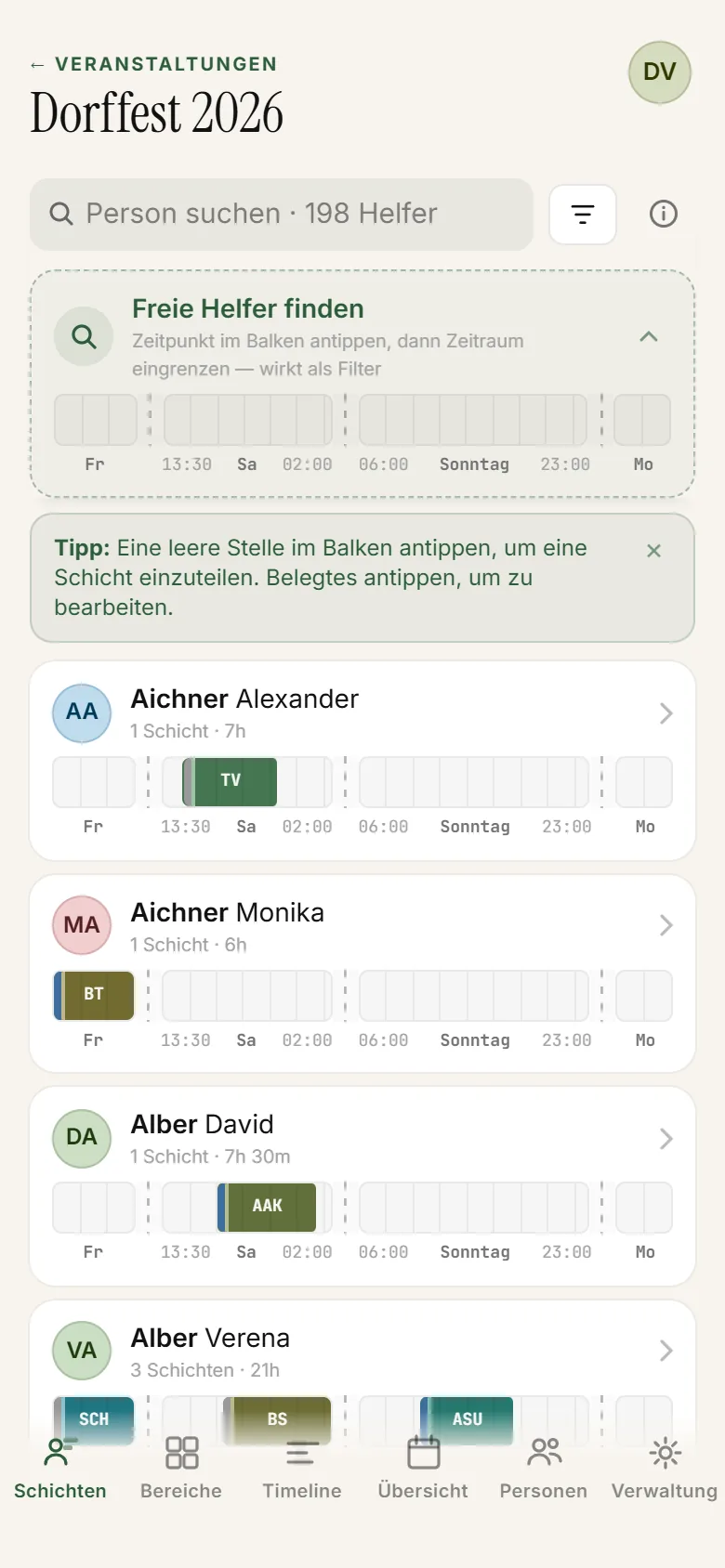
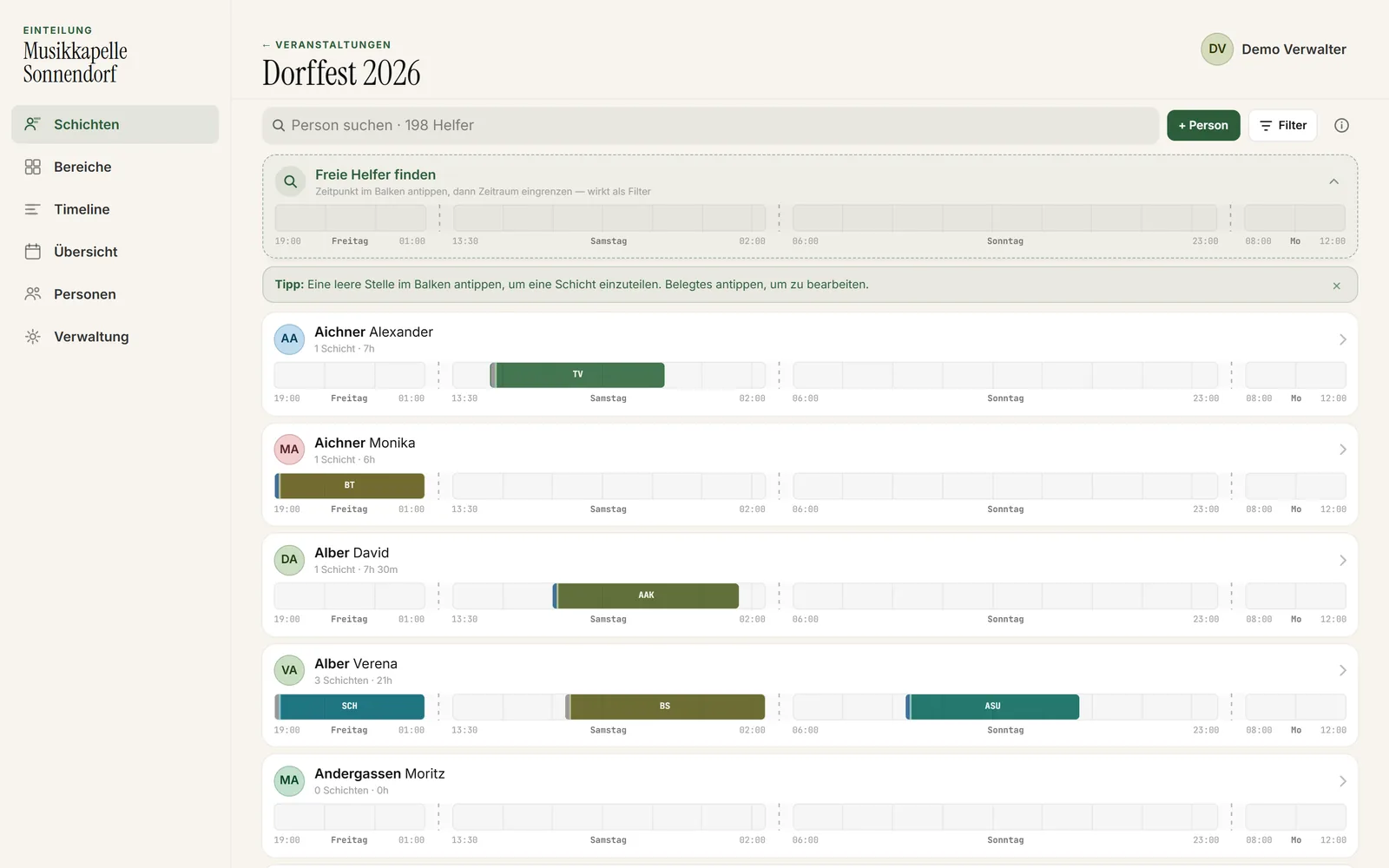
The whole festival as bars: one row per volunteer, one bar per shift. Tap an empty spot to assign, tap a bar to change it. And when you need to know who is still free on Friday evening, narrow the time window — the list shows only those people.

  • Bars across every festival day
  • Find free volunteers
  • Filter: assigned or open
ShiftPlanner shifts view on a laptop: volunteer rows with shift bars across the festival days
ShiftPlanner shifts view on a phone
Shifts — the planning view
Areas

Bar, kitchen, till

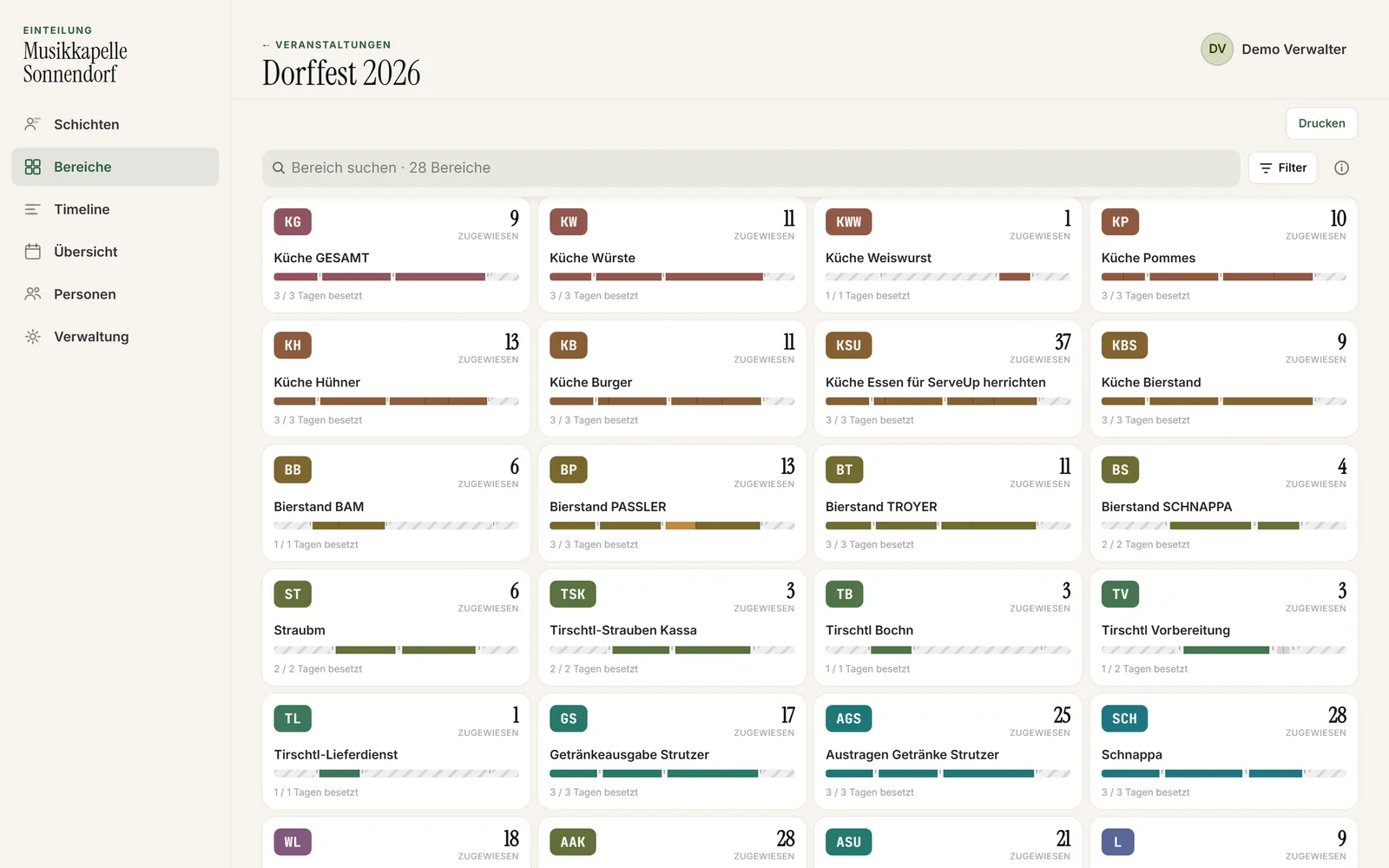
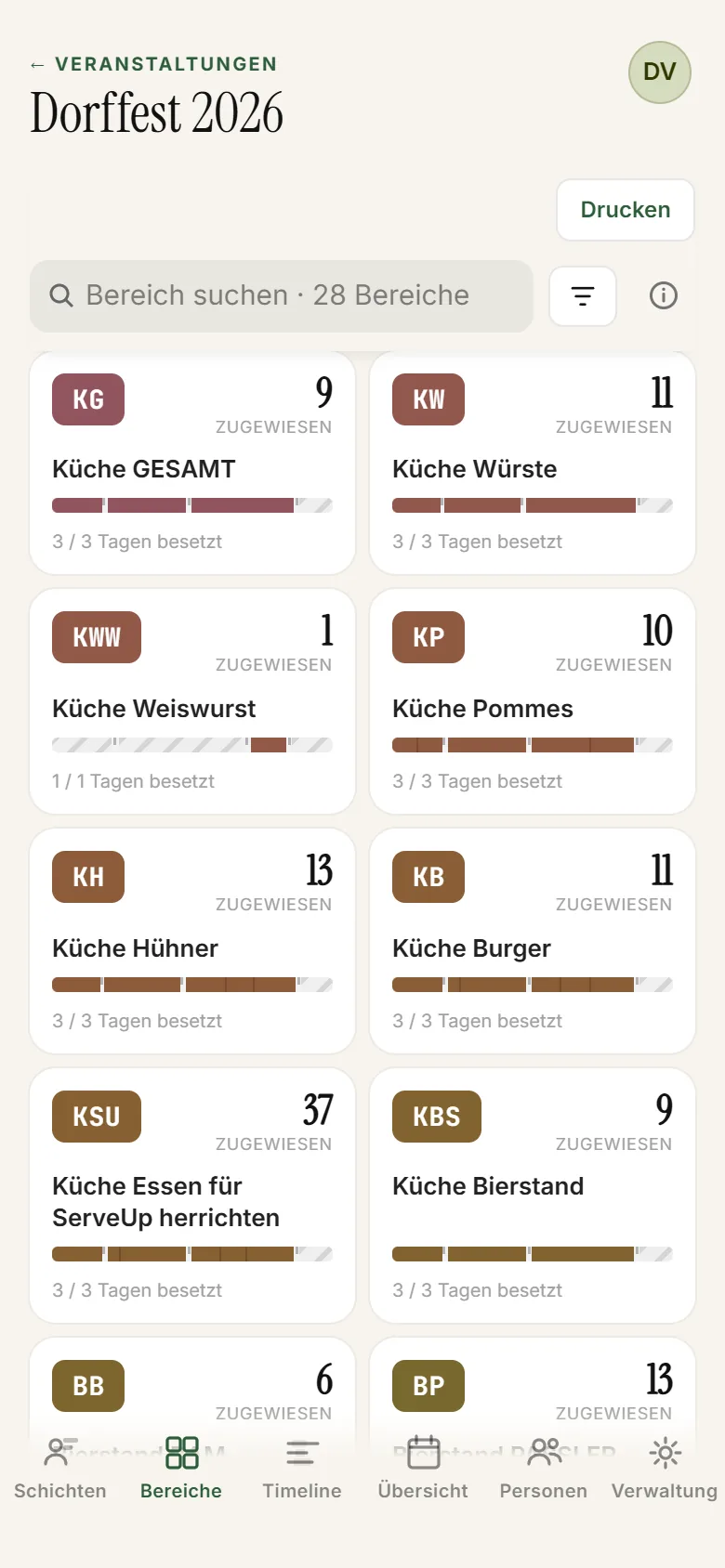
Every stand gets its own colour and its own target: how many volunteers at least, how many at most, per time window. The coverage bar runs red where somebody is missing and amber where there is one too many. Tap the red stretch — and you see only the people who are free right then.

  • Targets per time window
  • Understaffing visible at once
  • Tap the gap, fill the gap
ShiftPlanner areas view: a card per stand with its colour and coverage bar
ShiftPlanner areas view on a phone
Areas — one stand, one colour, one target
Timeline

The whole festival on one axis

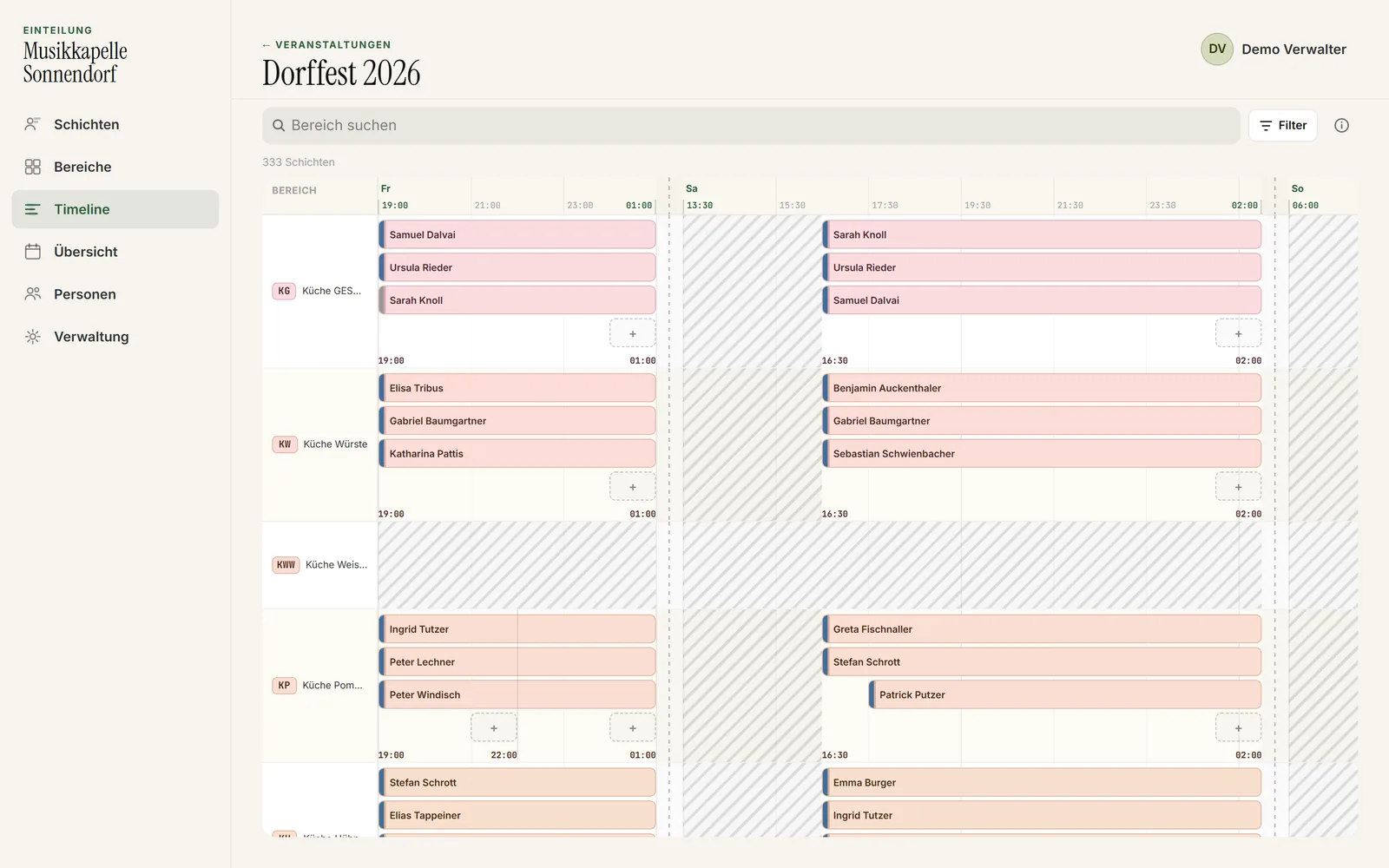
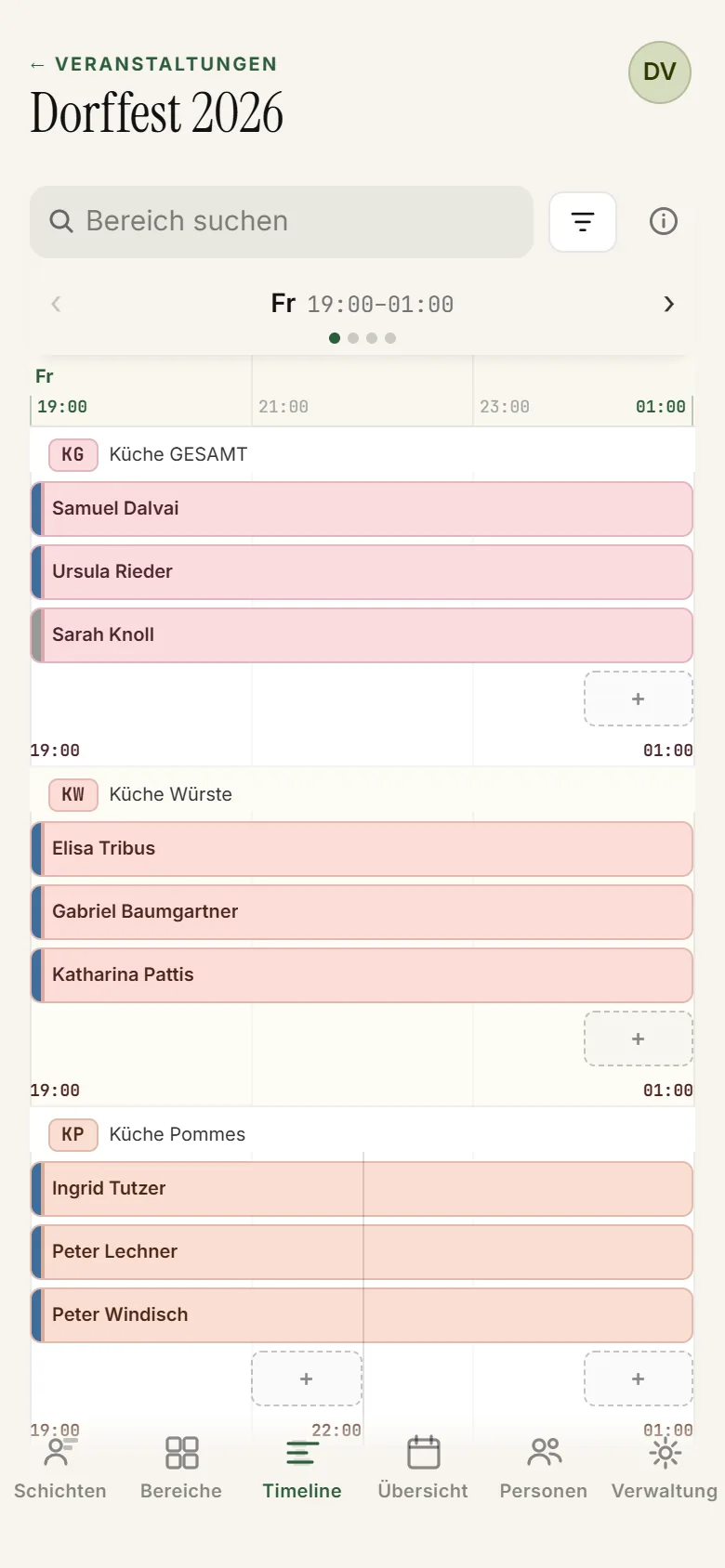
Every area underneath each other, time running left to right. Overlapping shifts stack up, gaps stay visible, and the night hours are squeezed together — so Saturday evening has room to breathe. Where somebody is missing there is a dashed slot: tap it and fill it.

  • All areas side by side
  • Gaps at a glance
  • Assign straight into the gap
ShiftPlanner timeline: every area on one continuous time axis
ShiftPlanner timeline on a phone
Timeline — area by area, hour by hour
Administration

Days, windows, printouts

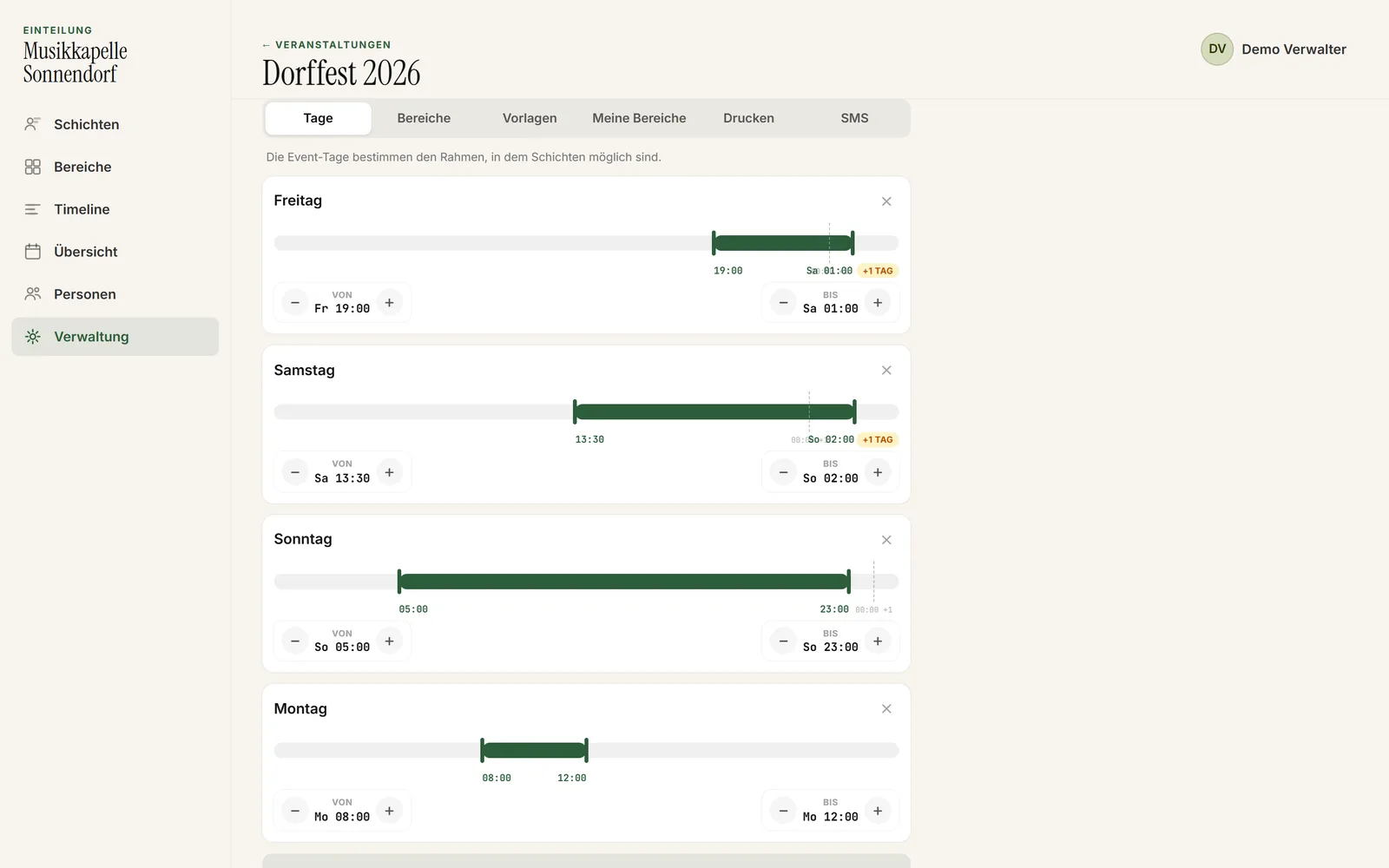
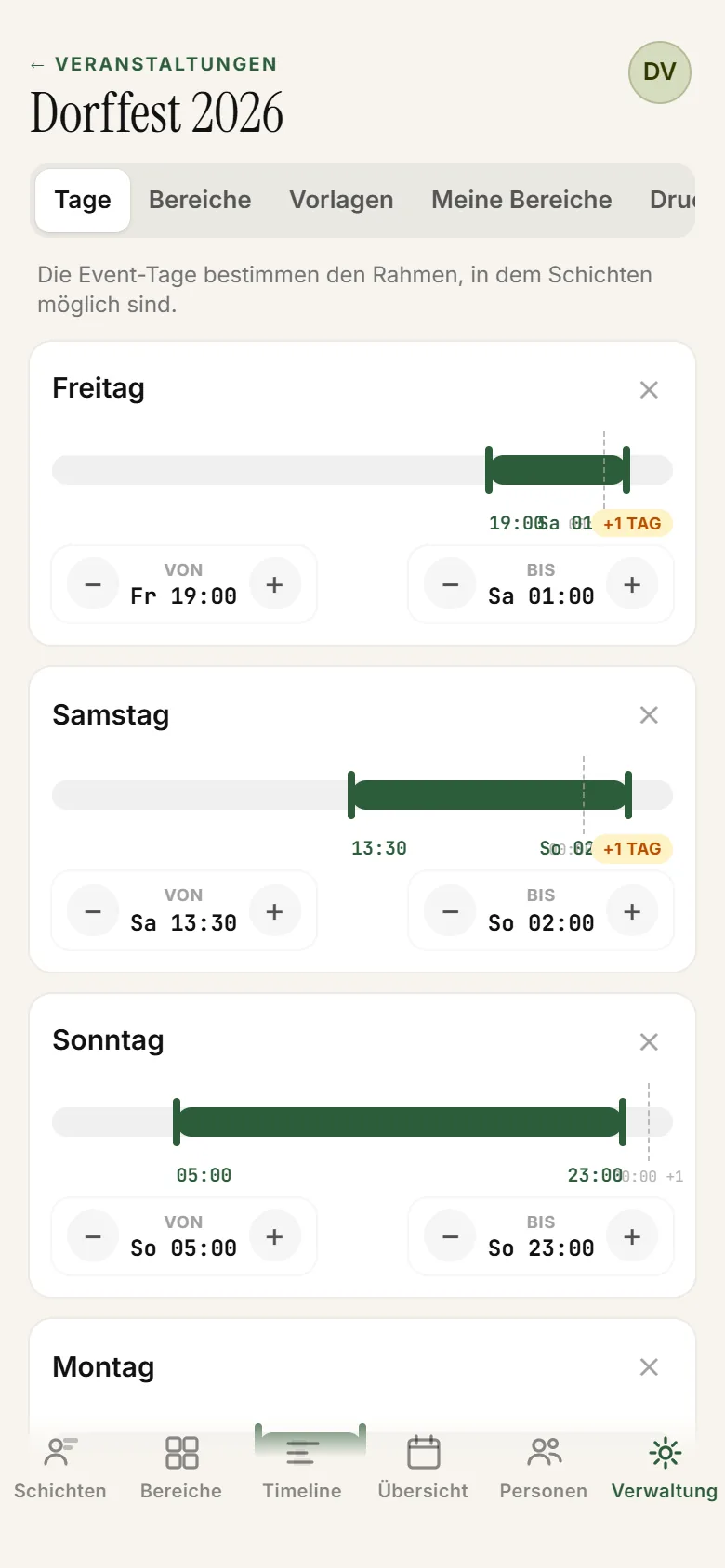
This is where the frame is set: festival days with a start and an end, the areas, and the shift windows per area and day — several in a row if the kitchen is staffed differently at lunch and in the evening. Plus the wall plan to print and the SMS batch to everyone.

  • Shift windows per area and day
  • Print the wall plan
  • Carry over last year
ShiftPlanner administration: setting the festival days and their time windows
ShiftPlanner administration on a phone
Administration — days, areas, windows, print, SMS
Overview

How far along are we?

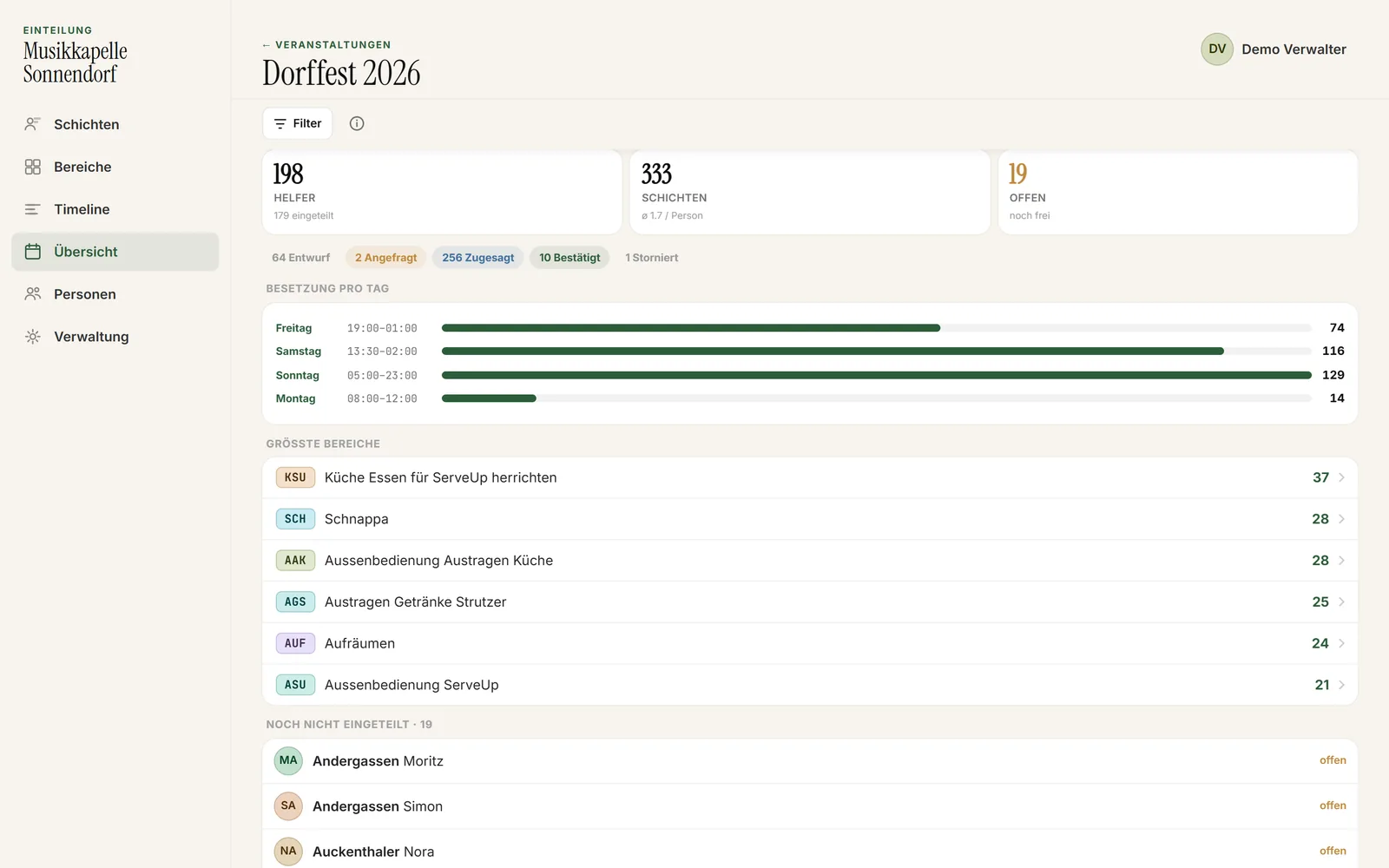
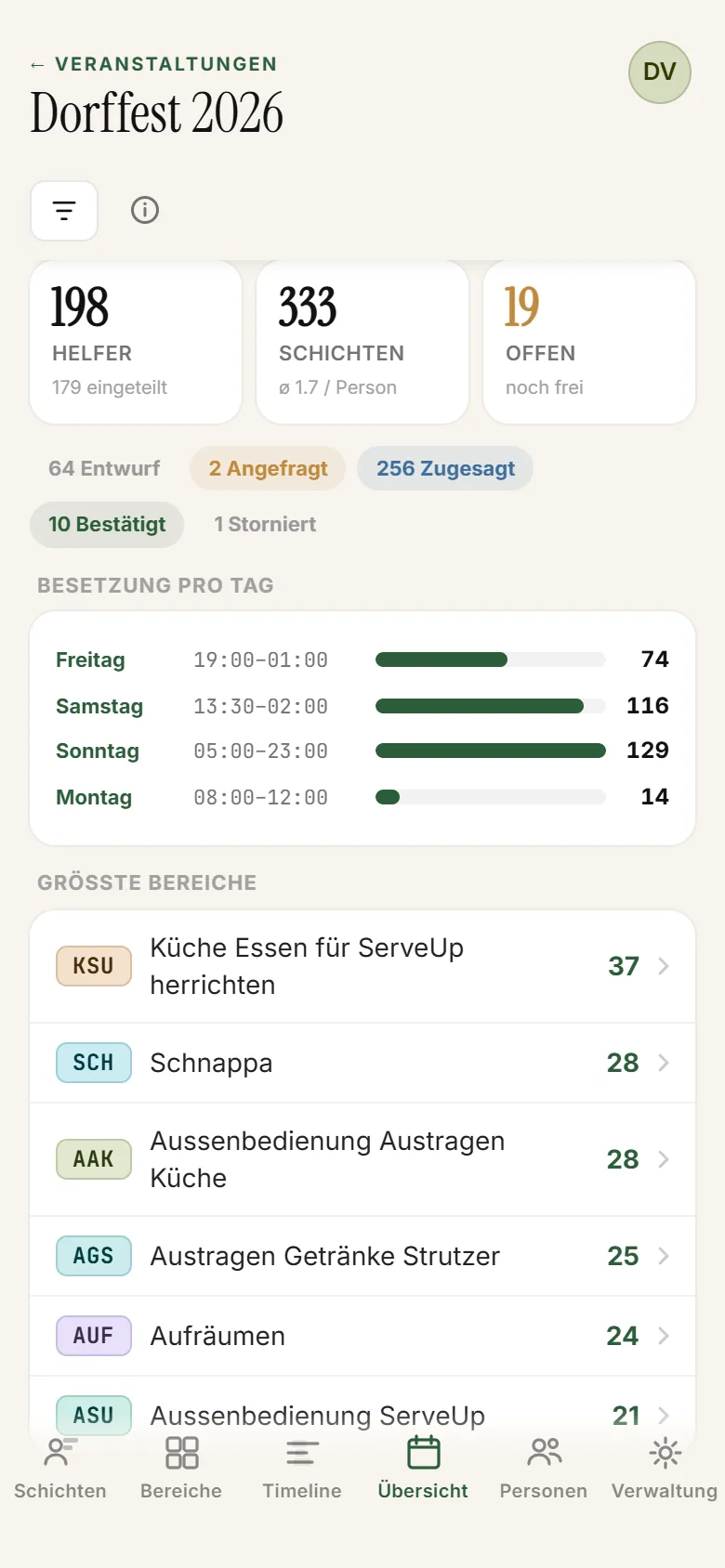
Volunteers, shifts, answers still open. Which day is still thin, which stands tie up the most people — and who has not been scheduled at all yet.

ShiftPlanner overview with key numbers and staffing per day
ShiftPlanner overview on a phone
People

The volunteer roster

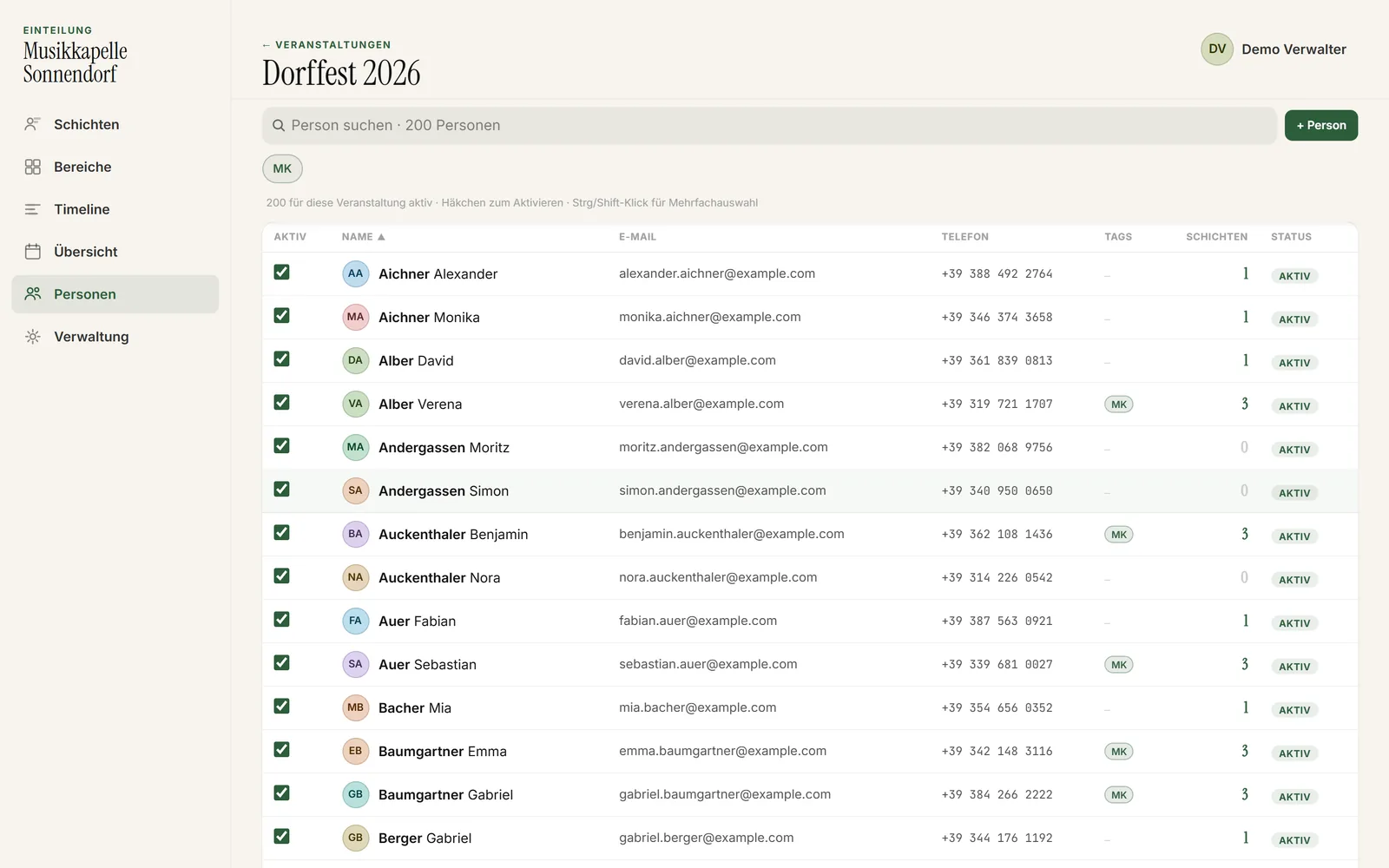
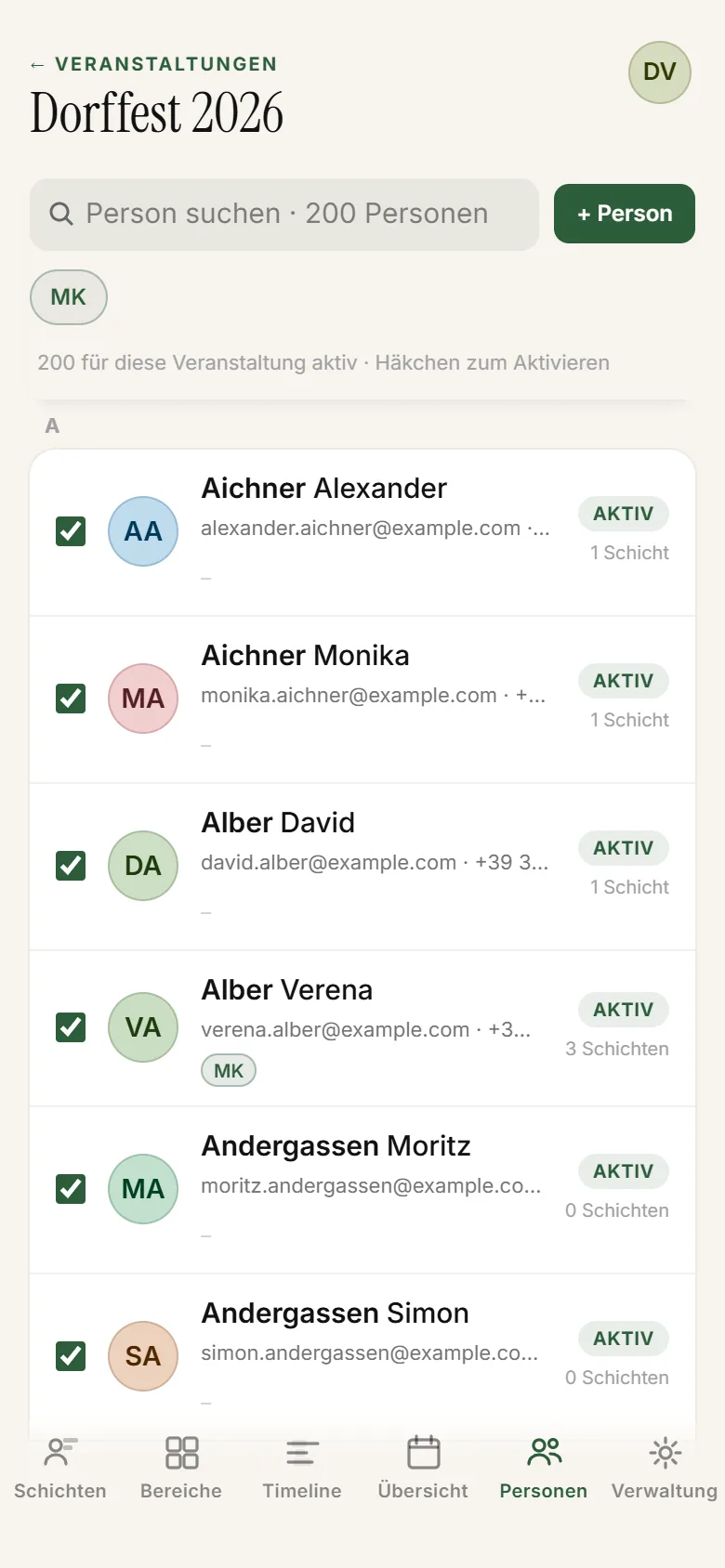
Name, phone number, labels like bar or youth section. Entered once, the roster stays — next year you schedule from the same one.

ShiftPlanner people view: the volunteer roster with contact details and labels
ShiftPlanner people view on a phone
Getting the answers back

One link.
No app.

Every volunteer gets a link of their own — a lasting one, covering all of their shifts. No account, no password, nothing to install. Tap it, look at the shifts, accept or decline. Done.

Status of a shift
Draft Asked Accepted Confirmed
  1. 01

    Send the link

    By SMS to everyone in one batch. Beforehand you see who is reachable and what the batch costs; afterwards you see who it got to. Or you copy the link and send it yourself — by WhatsApp, by email, however you normally talk.

  2. 02

    The volunteer answers

    They see all of their shifts with area, day and time. Per shift: accept, decline, or ask for a change. On any phone, without signing in.

  3. 03

    The answer lands in the plan

    The status changes straight away — you see per shift who has said yes and who has not. And the volunteer puts their shifts into their phone calendar with one tap.

  4. A no is worth as much as a yes: the shift opens up again, you ask somebody else — and you do it days ahead, not on Saturday night.

Why ShiftPlanner.

0

No account, no password

The volunteer taps the link in the text message, sees their shifts and answers. Nothing to install, for anyone. In a club, that one hurdle is where everything else gets stuck — with the sixteen-year-olds as much as the eighty-year-olds.

You know who said yes

Per shift it says who accepted, who declined and who has not answered at all. Instead of: “I put it in the group chat, it will be fine.”

!

Gaps show up in June

Understaffed stretches turn red in the plan the moment the gap appears — weeks before the festival, while asking around still helps. Not on Saturday night with nobody at the till.

1

No v7_final_final

A spreadsheet travels by email, everybody edits their own copy, nobody knows which one counts. In ShiftPlanner there is one plan — and it is always the current one.

’25

Next year starts from this one

Carry over days, areas, shift windows and the roster from the last edition — with the shifts too, if you like. Then just adjust, instead of starting from nothing every year.

Currently no extra charge

If you use ServeUp, ShiftPlanner comes with it at the moment — no second licence. Same house, same number, one person to call. For everybody else we discuss the price personally.

Common questions.

What committee members and schedulers want to know in the first conversation. Something missing? Write to us directly.

Do volunteers need an app?

No. Everyone gets a link that opens in the browser — on any phone, iPhone or Android. No store, no account, no password. The scheduling itself runs in the browser too; there is deliberately no ShiftPlanner app to install.

What does ShiftPlanner cost?

If you use ServeUp, ShiftPlanner currently comes with it at no extra charge — no second licence, no second contract. That is the arrangement as it stands today, not a promise for all time; if it changes, we will tell you before it does. For clubs without ServeUp we discuss the price personally: it depends on the size of your festival and how often a year you hold one. Write to us on WhatsApp.

How many volunteers and stands can it handle?

A multi-day village festival with dozens of stands and hundreds of volunteers is the normal case — that is exactly what ShiftPlanner was built for. Smaller works just as well.

Can several people schedule at the same time?

Yes. You invite each other into the club by link and work on the same plan. There are admin, coordinator and volunteer roles — and whoever runs a single stand hides the rest with “my areas”.

What happens to our volunteers' phone numbers?

The roster belongs to the club. You only need the numbers for the SMS batch, and every club uses its own SMS account for that — the messages do not run through a shared one.

We already have a spreadsheet. What now?

You enter the volunteers once, then the roster stays. For next year you carry over the whole edition: days, areas, shift windows, volunteers — with the shifts too, if you like. The paper chase stops there.

Does it work without internet?

ShiftPlanner runs in the browser and needs a connection. Scheduling happens beforehand anyway — at home, at the clubhouse, at the committee meeting. For the evening in the marquee you print the wall plan.

Is this connected to ServeUp?

Same house, same handwriting, two tools. ServeUp runs the service at the festival — ordering, billing, paying. ShiftPlanner runs the people before and behind it. Use both, or just one — and if you already have ServeUp, ShiftPlanner currently comes with it at no extra charge.

Let's look at your festival.

Tell us how many days, how many stands and how many volunteers — we will show you what the plan looks like for it. And if you already use ServeUp, ShiftPlanner is currently included at no extra charge.